Gmail Integration: Send from Your Own Email Address
Until now, emails sent through notionto.email showed a notionto.email address as the sender. With Gmail integration, you can send from your own Gmail address instead.
People are more likely to open an email when they recognize the sender. If you're sending team updates or client emails, that matters.
How to connect
- Go to Settings > Gmail Integration and connect your Google account
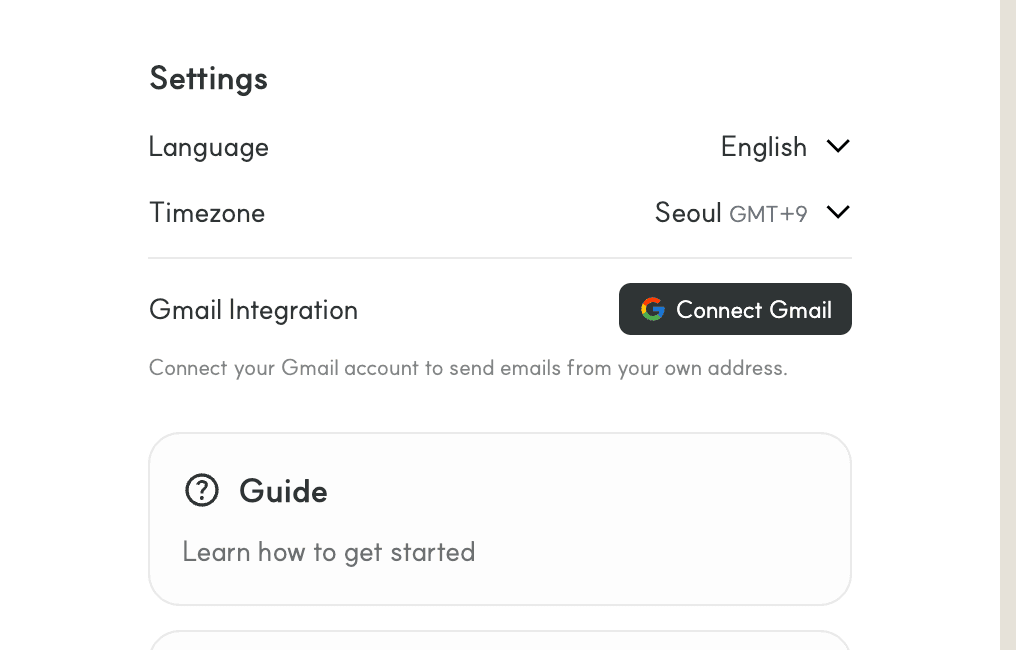
- On the Google consent screen, confirm the "Send email on your behalf" permission and connect
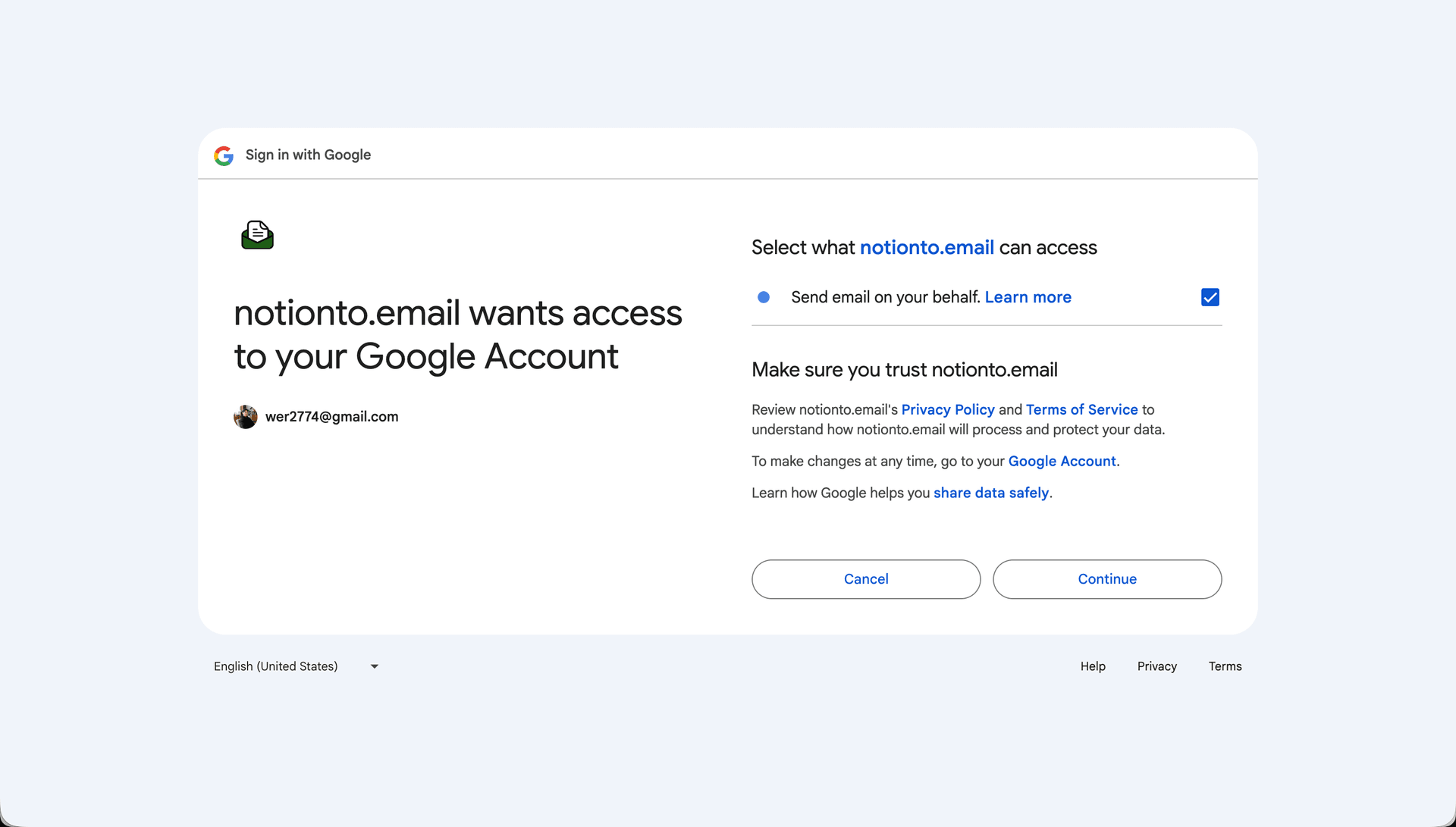
- After that, your Gmail address is used as the sender automatically
Good to know
- We only request send permission (gmail.send). We don't access, read, or delete your emails.
- Daily send limit is 450 emails
- You can disconnect anytime from Settings
Auto-Send: Automate Emails with Notion Databases
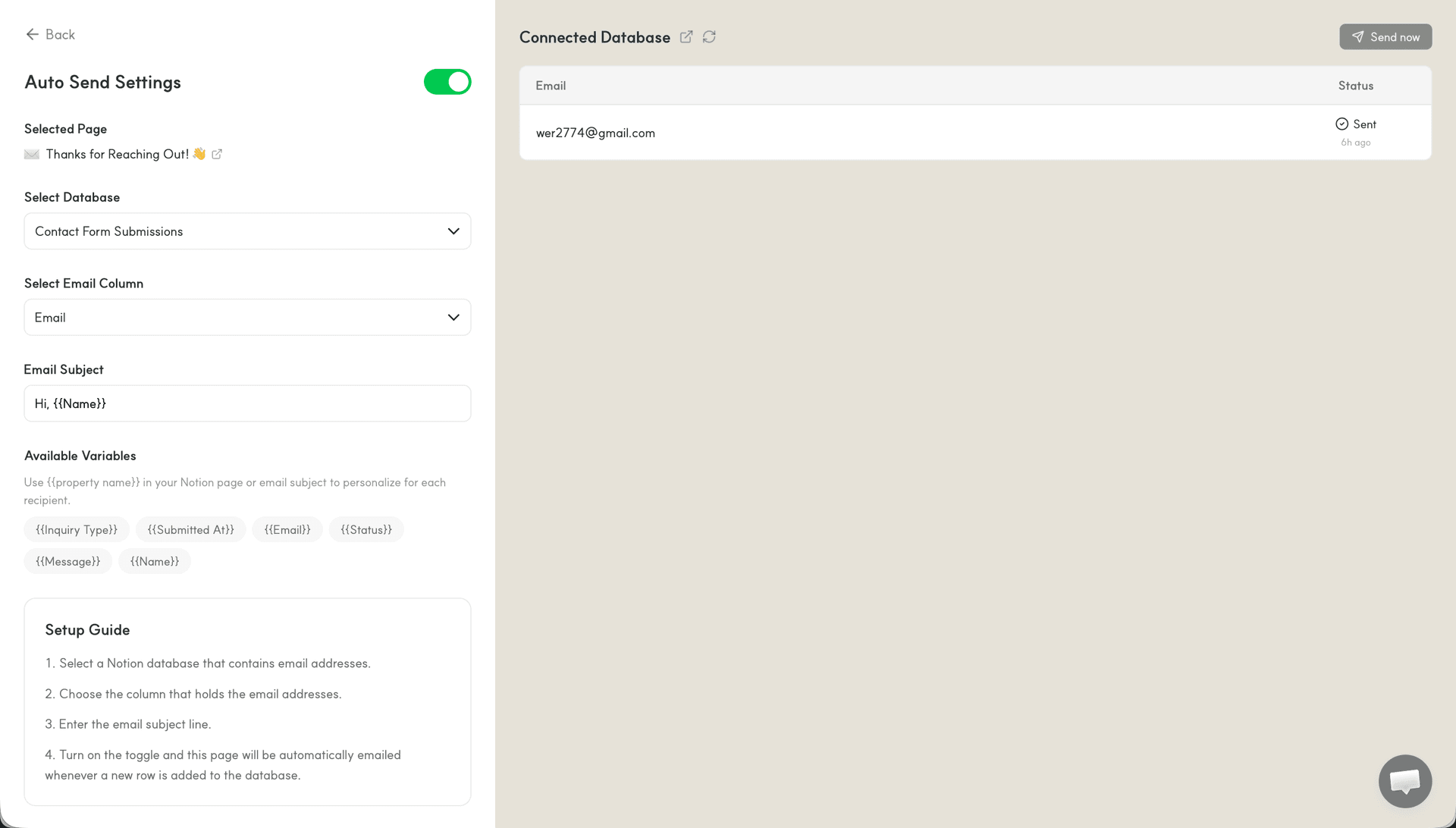
When a new row is added to a connected Notion database, an email goes out to the specified recipient automatically.
Instead of sending each email manually, just add a row to your database. Works well for newsletters, onboarding emails, or any recurring send.
How to set up
- Click the ⚡ button on your dashboard to configure Auto-Send
- Select a Notion database and pick the column that contains email addresses
- You can use
{{PropertyName}}variables in the subject line to personalize per recipient
How it works
- New rows are checked every 5 minutes
- Rows that have already been sent are skipped
- Requires Gmail integration to be set up first
A few ways to use it
Newsletters — Write your newsletter in Notion, add subscribers to the database, and it goes out on its own.
Welcome emails — When a new signup lands in your Notion database, a welcome email is sent automatically. No need for Zapier or other glue tools.
Team announcements — Hook up a database with your team list and send updates to everyone at once.